The guidelines on this page assist you with creating ZEISS newsletters.
Please note that the header and publisher information/footer is mandatory. All other modules and submodules between the header and publisher information can be arranged flexibly. All settings for the individual modules, including spacing and size, are predefined.
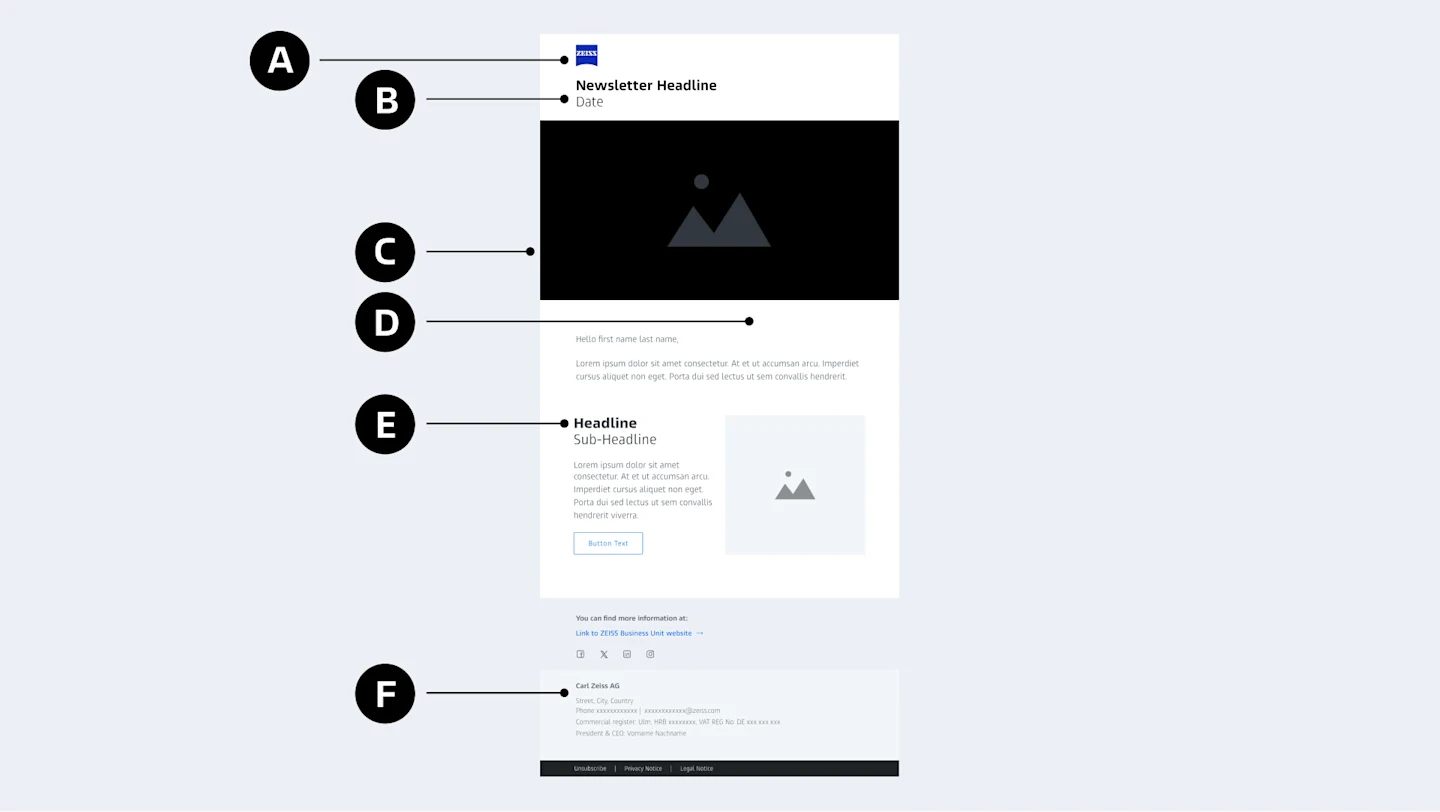
The logo is part of the header. It is prominently located in the top left-hand corner of the user interface. The tagline, Seeing beyond, may not be used.
The headline supports your email's message. Use a short, concise headline.
In the optional image module, imagery can be used to emphasize the email's message.
Three different colors are available, depending on the module. You can choose between white, gray, and black.
The Arial font is stored in the templates by default. Only use this font and the preset color values to ensure the email is displayed correctly.
The publisher information or imprint is mandatory. It consists of three components: footer media, legally required information, and additional links. Adapt the publisher information in line with your strategic business unit. The social media icons contained in the footer media are optional.
Are you looking for brand, design, and strategy standards for email communications and automation within and outside ZEISS? Your one-stop shop is the ZEISS Email Experience Guide.
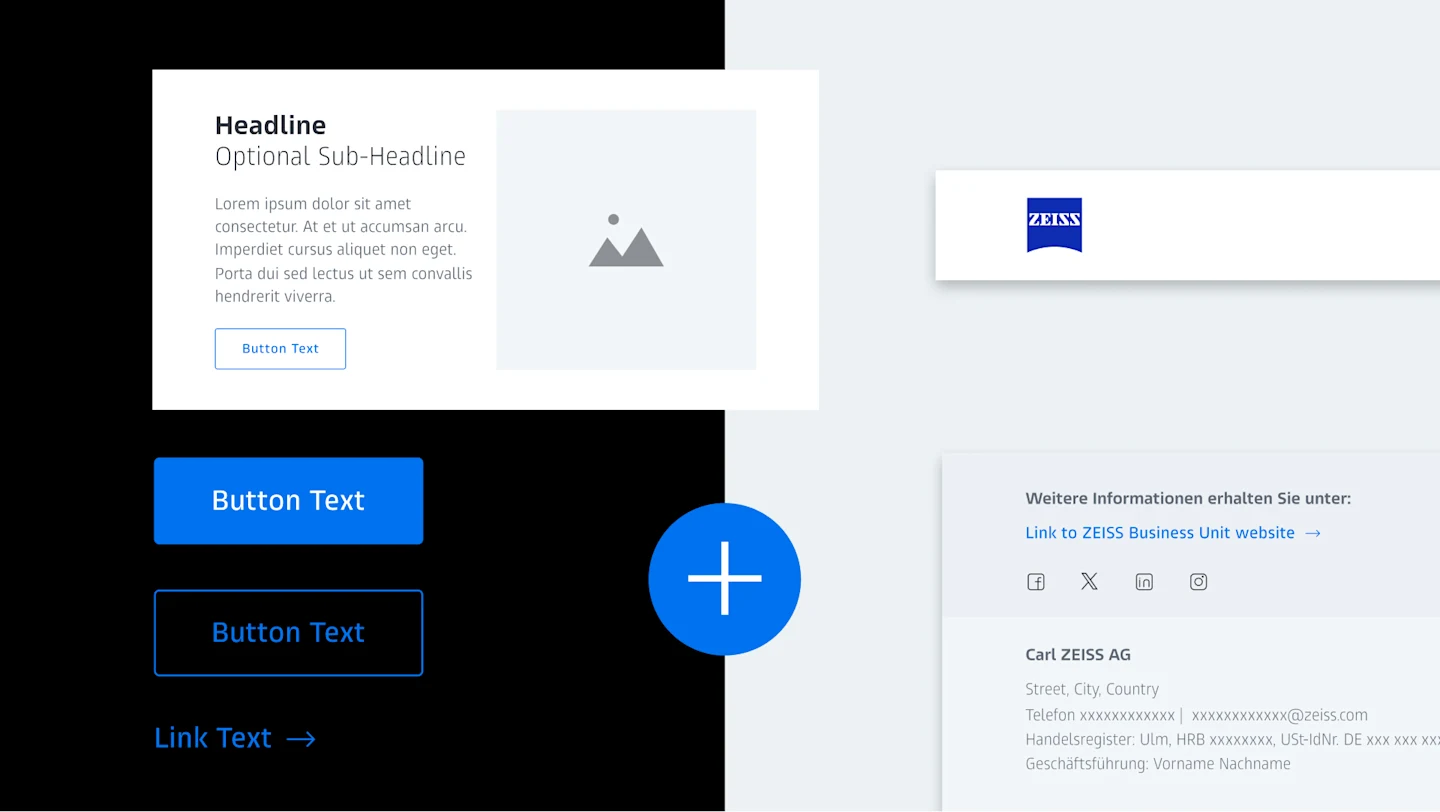
ZEISS specific module templates are currently included in Marketo, Salesforce Marketing Cloud, and Brevo. The modules are made up of a combination of at least two individual components, such as an image and text.
In marketing and sales, you work with personal data. This must be treated with particular care. The ZEISS Marketing Knowledge Hub assists you with data protection for marketing and sales.

Inconsistent spacing

ZEISS Azure for non-interactive elements

Excessive highlighting

Deletion of mandatory legal information, e.g., unsubscribe button

Text written in ZEISS Indigo

Customized HTML modules
Corporate Brand, Communications & Public Affairs